Bring your agents
into one view.
An Agent Profile is the complete setup: harness, model, tools, context and permissions. Start by connecting the coding agents you already use.
Agent connections · Profile comparisons in pilotThe reliability loop for AI-written software
Move between coding agents without rebuilding the backstory. Keep task reports, decisions and open questions together for the next piece of work.
Built for teams using more than one coding agent.
001 / ONE CONNECTED PRODUCT
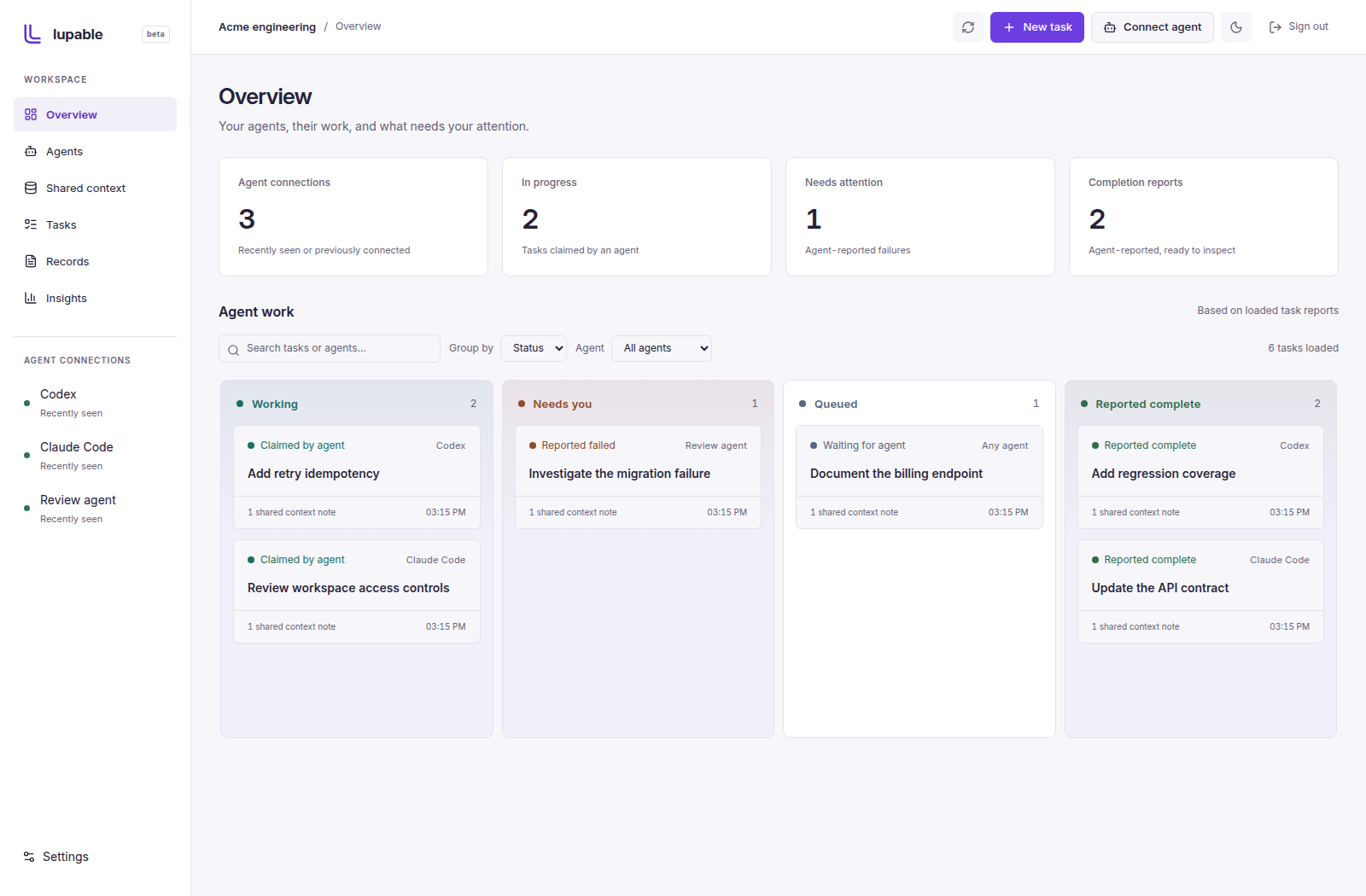
Three connected jobs, one reliability loop. Explore the current workspace as you move through the story.
An Agent Profile is the complete setup: harness, model, tools, context and permissions. Start by connecting the coding agents you already use.
Agent connections · Profile comparisons in pilotFollow work across agents. Keep the goal, selected context and received reports attached to the task, so completion doesn’t erase the history.
Task reports and retained recordsInspect reported activity today. Our pilot work connects verification, review, production and maintenance to the next agent decision.
Recorded activity · Outcome comparisons in pilotPreserve why the code exists, what was decided and what remains unresolved. Help an engineer or another agent pick up the work without starting from zero.
Shared context and retained records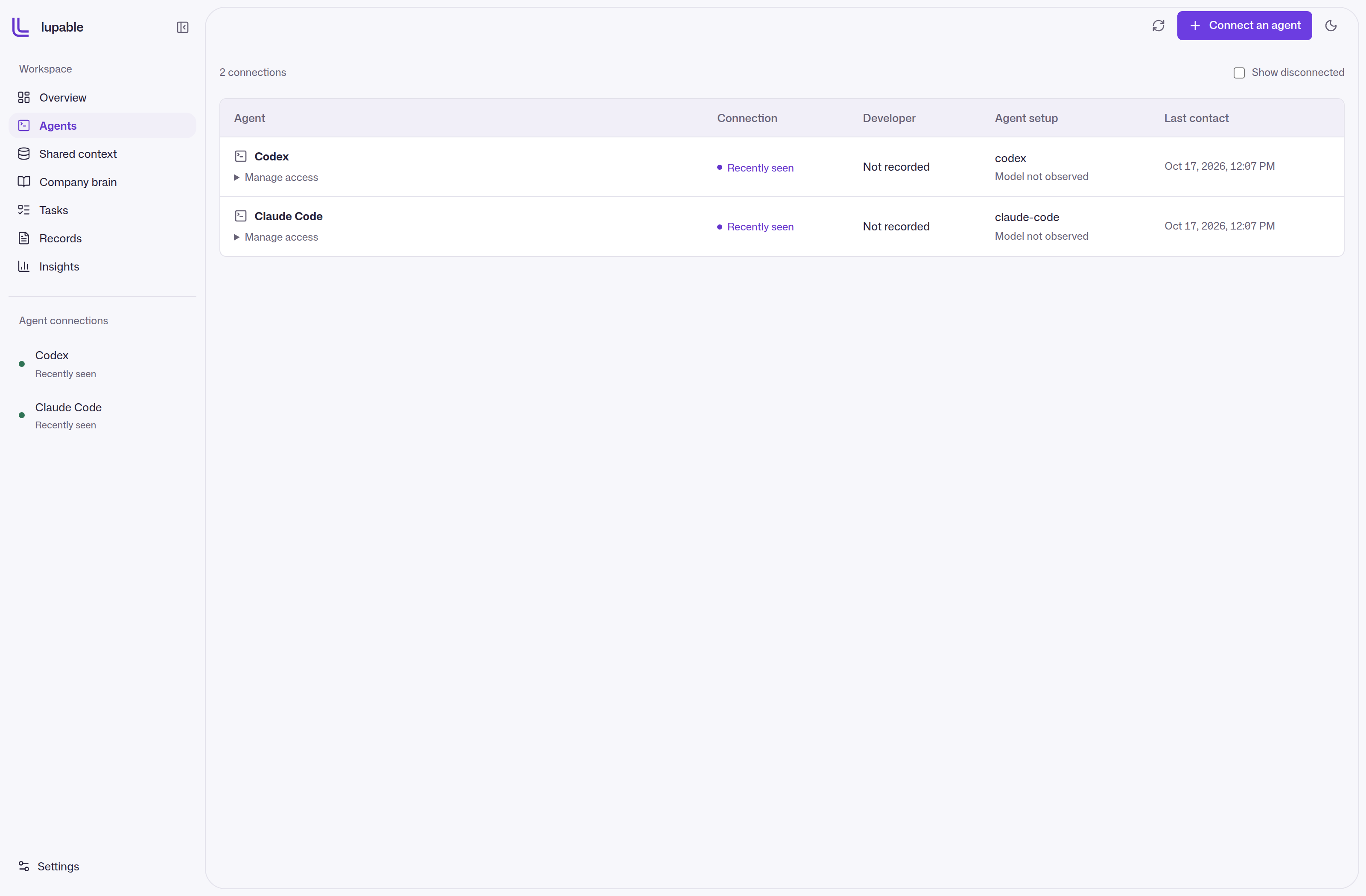
Connect your coding agents and inspect each connection’s status and last contact.
Try this screenChoose a screen, then try it in the walkthrough above.
THE LOOP WE’RE BUILDING · FROM TASK TO LONG-TERM OWNERSHIP
002 / MAINTAINER OF RECORD
A Maintainer of Record keeps the context behind a change: why it exists, the decisions it carries, and the evidence behind it. Shared context keeps the handoff ready. Company brain lets your team ask about retained work and inspect the sources behind an answer.
003 / INSIGHTS
See completion and failure reports by agent, open their supporting tasks, and inspect retained change evidence. Use a focused pilot to connect this activity to verification, review and later maintenance.
Productivity gains and ROI need a comparison baseline. Task counts alone don’t establish either.
Explore insightsInvoice downloads return 403 for paid customers.
004 / WHO IT’S FOR
Bring developers and coding agents into a shared workspace. Keep project context connected, follow the work and review the evidence behind AI-assisted changes.
Talk to us about your team ↗Keep project decisions and task history connected as you move between coding agents. Use the workspace to retain the context behind the work.
Join the waitlist ↗005 / THE DETAILS
The complete setup that did the work: the agent harness and version, model, reasoning settings, context, skills, tools, environment, permissions and verification strategy. Comparing only the model misses the rest of that setup.
The workspace supports agent connections, task reports, shared context and retained records. Task-specific profile comparisons and live production and maintenance outcomes are being validated through pilots. Reported completion is not a reliability score.
You connect your existing agent. The current hosted workflow lets that agent claim tasks and report its work through Lupable’s bridge.
Lupable compacts completed and failed task reports into retained context. You can also add guidance and supporting files. Full off-platform conversations and terminal output are not automatically collected by this connection.
A completion report is what the agent reported. Independent checks and their evidence are separate, and should be inspected before relying on a result.
The product backend can be operated on private infrastructure. Contact us to scope an enterprise pilot and the client, identity and deployment requirements for your environment.
The form opens your email app with a request addressed to contact@lupable.com. You choose whether to send it; submitting the form does not automatically register an account.
LET’S CONNECT THE WORK
Start with a focused pilot. Show us the codebase, task class and agent setups your team wants to understand.
